Build an AI chatbot for your business. Learn a skill you can offer to clients.

Your business needs answers on demand. You can build the chatbot that delivers them.

Learn how to build a website chatbot that answers questions using your business information, explains your services, and collects contact details from interested visitors.

Build it for your own business. Or use the same process to build chatbots for clients.

With Botli, you’ll follow a practical, step-by-step course that shows you how to build, launch, and manage the system yourself using AI.

No coding experience required.

Yes, I Want to Build This

For your business or your next client project. Follow along at your own pace.

They’re already on your website. One unanswered question could be all that’s holding them back.

“Is this right for my business?” “Do you serve my area?” “What’s included, and how do I get started?”

These are buying questions. But your visitors don’t always ask them during business hours.

And when they can’t find an answer, they may leave before you ever know they were interested.

The chatbot you’ll learn to build gives them a place to ask.

It uses the business information you provide to answer questions and explain your services. When someone wants to take the next step, they can leave their contact details right in the chat.

You get back to them when you’re available. Their inquiry is waiting in your dashboard.

Give your website a helpful first point of contact.

Here’s what you’ll learn to put in place:

Answers based on your business information

Add your services, FAQs, documents, and other relevant details so visitors can ask questions about what you actually offer.

Help for visitors when you’re unavailable

Keep basic questions from waiting until you finish a meeting, return a call, or open the next morning.

A way to capture interest inside the conversation

Let visitors submit their contact details through a built-in lead form, with inquiries saved in your dashboard.

A chatbot that looks like part of your business

Customize the logo, colors, and business information to match your brand.

A dashboard you can manage yourself

Update information, add documents, and review inquiries without requesting every change from an outside provider.

Build it once for yourself. Learn a process you can use again.

For business owners: keep control of your chatbot.

You know your business. You know when a service changes, a new offer launches, or customers start asking a new question.

Botli teaches you how to make those updates yourself.

You’ll learn to build the system in your own accounts, keep the project files, and manage the information behind the chatbot.

You can run it without hiring a company to manage it for you.

For agencies, web designers, and marketers: add another service to your offer.

Your client already has a website. Now they want it to do more.

An AI chatbot gives you another project to bring to that conversation: a branded assistant that answers business questions and collects inquiries.

Learn the build-and-deploy process, then apply it to client projects.

You set your own pricing, scope, and client terms.

Start with your own business. Use what you learn in your next proposal.

Keep the system. Keep the files. Know how to make changes.

A chatbot is more useful when you understand how to manage it.

Inside Botli, you’ll learn how to set up the system in your own accounts, update its information, and use AI to help make changes to the project.

The working system and project files stay under your control.

There’s no ongoing Botli course subscription or required chatbot management plan.

The tools you use to build and run the chatbot have separate costs. AI usage, hosting, and any paid tool plans are billed by their respective providers based on your setup and usage.

See what you’ll learn to build.

The chatbot your visitors will use

Watch a visitor ask a question, get an answer based on the business information, and leave their details for a follow-up.

The dashboard you’ll use to manage it

See how to add business information, customize the chatbot, and review incoming inquiries.

Yes, I Want to Build This

Build it for your business. Apply the same process to client projects.

What you’ll learn

Seven practical lessons. A clear path from setup to a working chatbot.

You’ll follow the build for an example business, then adapt the steps to your own business or a client’s.

  1. See the finished system

    Get familiar with the chatbot, knowledge base, lead form, and the tools you’ll use to build them.

  2. Set up your workspace

    Install and configure the tools, create your project folder, and connect the browser so you’re ready to follow along.

  3. Customize the prompt and start building

    Add the business details to the provided prompt, choose your AI model, and guide Codex through the initial build.

  4. Set up the accounts your chatbot will use

    Create the service accounts for your database, hosting, and AI connection, with guidance on what each one does.

  5. Connect the system and open your dashboard

    Connect the AI service, complete the required setup, and create your login for the published management dashboard.

  6. Make it yours and add it to your website

    Upload business information and a logo, embed the chatbot, make adjustments with AI, and test that a lead submission reaches your dashboard.

  7. Save your project and keep building

    Back up the project in a private GitHub repository, keep secret keys out of the repository, and learn how to continue working from another computer using Codex or Claude.

“I’ve never written code. Can I actually do this?”

You don’t need to arrive knowing how to program.

You’ll see the process on screen, with prompts, project files, and an example you can follow.

You’ll learn where to add the business details, how to instruct the AI, and how to connect the pieces.

You’ll also see how to ask for corrections when something needs adjusting, whether it’s a logo, a button, or part of the chatbot’s behavior.

Pause the lesson. Complete the step. Replay it when you need to.

You should be comfortable using a computer and browser, creating accounts, and following setup instructions. You’ll need to do the work and test the result.

The course gives you a guided starting point, so you can begin without a programming background.

Here’s what you’ll have after you put the lessons into practice.

  • A chatbot built around the business, with its information, services, logo, and colors.
  • A way to collect inquiries inside the chat, with contact details saved in your dashboard.
  • The ability to update business information yourself, including adding documents and changing details.
  • Your project files, plus a process for saving them and continuing the work.
  • A repeatable build process you can apply to another business or a client project.

Business experience. Technical depth. Practical teaching.

Meet the people behind Botli.

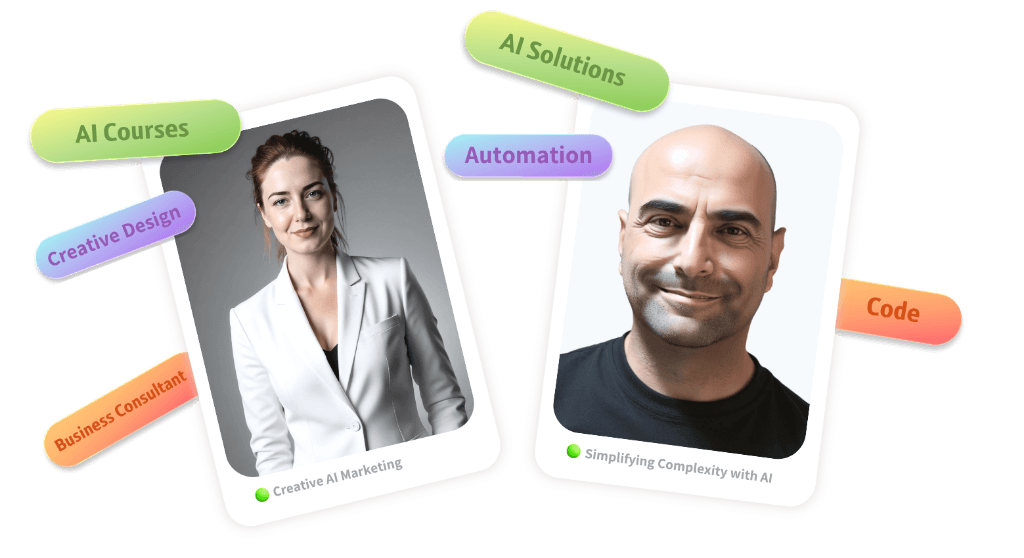
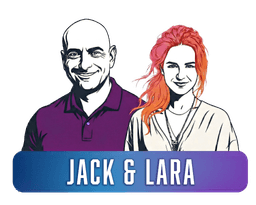
We’re Jack Vidal and Meirav Lara Shavit, the team behind Jack & Lara.

We bring together experience in technology, marketing, automation, and content to build systems that support real business needs.

Jack Vidal and Meirav Lara Shavit

AI systems, technology, and automation

Jack Vidal

Jack’s background spans high-tech companies, including unicorns, and leadership roles in marketing and development. His work includes AI automation, complex integrations, and systems that connect business information with day-to-day operations.

Marketing, creative, and content

Meirav Lara Shavit

Meirav brings more than 20 years of experience in marketing and advertising, with a focus on strategy, persuasive copy, design, and content that connects with an audience.

Botli brings those perspectives together in a practical project: a chatbot you understand, can manage, and can adapt to a business.

What people say about working with us.

Feedback on our client work and teaching.

“I worked with Jack for over nine years. Reliable, professional, and a true team player. His wide range of skills makes him an exceptional partner. Highly recommended.”

Doron Dvir

“Working with Jack was an excellent experience. He brings a professional, creative, and data-driven approach to every project. His ability to build complex marketing systems and make them simple and effective is exceptional.”

Jeremy Werner

“I highly recommend the course. Meirav is very talented and explains things clearly, with creativity and dedication.”

Dalit Kimor

Your first chatbot is the project. Knowing how to build it is the lasting value.

For your business, that means being able to build and manage your chatbot yourself.

For your client work, it means having another service you know how to deliver.

Your purchase includes:

  • All seven recorded video lessons.
  • Ready-to-customize prompts.
  • Source files and working materials.
  • Step-by-step demonstrations of the build, customization, and website installation.
  • Guidance on managing business information, checking lead submissions, and making corrections with AI.
  • Instructions for saving your project and continuing to work on it.

Get the complete Botli course.

$97 USD

One-time course purchase. Learn at your own pace.

Get Botli & Start Building

Building tools, AI usage, and hosting are paid separately to the providers you use. Costs depend on your plans and usage.

Frequently asked questions

Questions before you start?

Yes. You can apply what you learn to offer chatbot building and installation as a service.

You decide what to charge, what’s included, and how you work with each client. Botli teaches the build and installation process. Finding clients and selling the service are your responsibility.

Put a chatbot on your website. Put a new skill in your hands.

Give visitors a way to get answers and leave their details when you’re busy.

Learn how to keep the information current yourself.

Then take the same process into your next business or client project.

Get Botli & Build My First Chatbot

For your business today. For the projects you choose to take on next.